Run a free accessibility checker on most Ontario business websites and you'll get a score — often a reassuring one. Then a customer using a screen reader can't complete checkout, files a complaint, and the "passing" score turns out to have measured only a slice of the problem. The gap between a scanner said it's fine and a person couldn't use it is where most accessibility risk actually lives.
This isn't an argument against automated scanning — automated scanning is fast, cheap, and a sensible first step. It's an argument for understanding what a scanner can and cannot tell you, so a clean scan doesn't become false confidence before the December 31, 2026 AODA (Accessibility for Ontarians with Disabilities Act) Compliance Report deadline.
Key facts
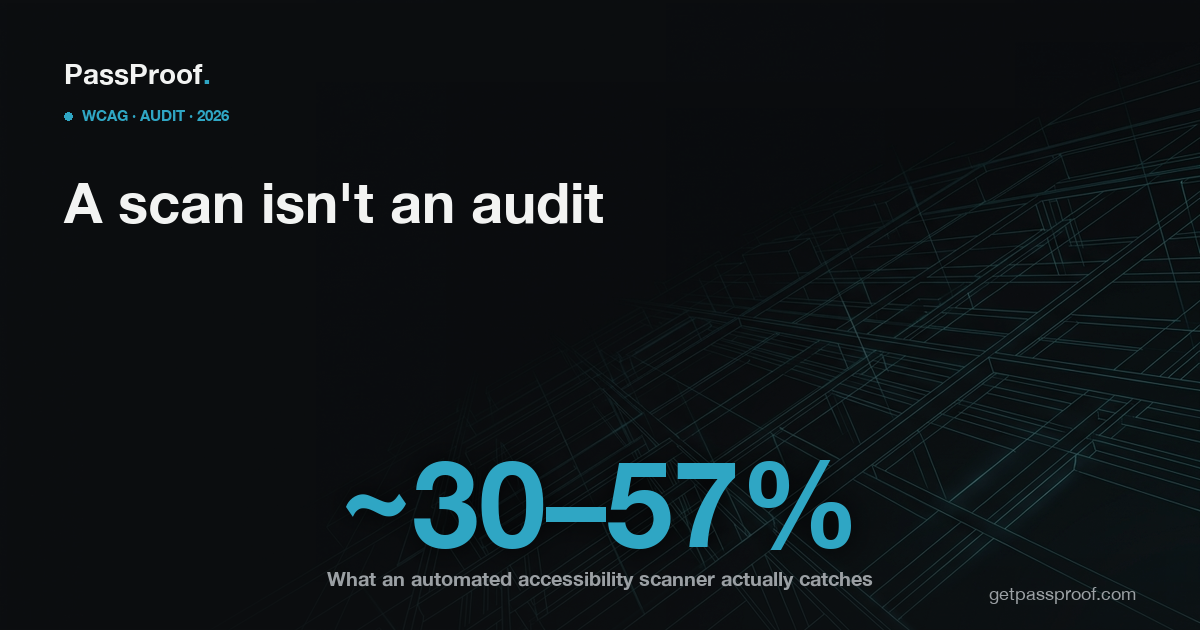
- WCAG (Web Content Accessibility Guidelines) 2.1 Level AA has 50 success criteria, and by industry analysis and W3C guidance only roughly 30% (about 15–16) can be meaningfully tested by automated tools alone — the rest require human judgment (W3C Web Accessibility Initiative; accessibility-industry analysis).
- In a published Deque study of 2,000+ audits across ~13,000 pages and nearly 300,000 issues, automated technology identified about 57% of accessibility issues by volume — meaning a meaningful share went undetected even on the most favourable measure (deque.com).
- The W3C Web Accessibility Initiative (WAI) states plainly that no tool alone can determine whether a site meets accessibility standards — "knowledgeable human evaluation is required" (w3.org/WAI).
- Ontario's legal floor for public-facing web content is WCAG 2.0 Level AA for organizations with 50 or more employees under the IASR (Integrated Accessibility Standards Regulation, O.Reg. 191/11; ontario.ca).
- In the United States, plaintiffs filed 3,117 federal website-accessibility lawsuits in 2025 — up 27% year over year — and complaints commonly cite WCAG failures a scanner often can't flag, such as image alt text and keyboard access (industry litigation trackers). This matters to any Ontario business that also sells to U.S. customers under the ADA (Americans with Disabilities Act).
What can an automated scanner actually catch?
Automated tools are genuinely good at a defined set of machine-checkable failures: missing alt attributes on images, missing form labels, empty buttons and links, missing page-language declarations, some colour-contrast ratios, and missing document structure like headings or landmarks. These are real WCAG failures, they're common, and finding them in seconds is valuable.
A free scan — including the PassProof Report — runs exactly this kind of automated check, plus overlay detection and a read on what legally applies in Ontario. It's the right way to start: it tells you quickly whether the obvious problems are present.
The two headline numbers people cite — "scanners catch about 30%" and "scanners catch about 57%" — are both correct, because they measure different things. The ~30% figure is the share of WCAG 2.1 AA success criteria that can be tested by machine at all. Deque's ~57% is the share of actual issues by volume their automated tooling surfaced in a large real-world dataset. Either way, the conclusion is the same: a scanner addresses a minority of the standard, and a clean report covers only what the machine was able to look at.
What does a scanner miss — and why does it matter legally?
The criteria a scanner can't reliably judge are precisely the ones that decide whether a real person can use your site:
- Is the alt text accurate and meaningful? A scanner sees that
altexists; it can't tell whetheralt="image123.jpg"describes the product. - Does the keyboard reach everything, in a logical order? Keyboard traps, invisible focus, and broken focus order are leading complaint subjects — and largely invisible to automated checks.
- Do labels match their controls, and do error messages make sense? A field can be "labelled" and still be mislabelled or unusable.
- Is content readable in a sensible sequence by a screen reader? Visual order and programmatic order can disagree in ways a scanner won't catch.
The W3C WAI specifically notes that automated tools can miss inaccurate image alternatives, mislabeled elements, and keyboard-navigation problems (w3.org/WAI). Those are exactly the failures cited in real accessibility complaints. The legal exposure for Ontario businesses runs primarily through the Human Rights Code and a complaint to the HRTO (Human Rights Tribunal of Ontario) — the AODA itself has no private right of action — plus ADA exposure if you sell into the U.S. A scanner's "pass" is not a defence when a tribunal is looking at whether a person was actually shut out.
So is a free accessibility scan useless?
No — and that's the point. A scan is a starting point, not a verdict. Used well, it does three things: it flags the obvious machine-detectable failures so you can fix them immediately, it detects whether you're relying on an overlay widget (which the FTC found could not deliver the compliance it advertised in its 2025 action against accessiBe), and it tells you whether a deeper look is warranted. What it cannot do is certify that your site is accessible — because, per the W3C, no tool can.
The honest workflow is: scan first to triage, then bring in human testing for the 60–70% of issues the machine never examined. Our breakdown of what an AODA audit costs in Ontario shows where the manual-testing budget actually goes, and our overlay-vs-remediation comparison explains why a JavaScript layer over the same unfixed code doesn't close the gap.
What does a real audit add for an Ontario business?
A manual audit is conducted by a person operating your site the way disabled users do — navigating by keyboard only, listening with a screen reader, checking that forms, menus, modals, and checkout actually function end to end. It tests the criteria a machine can't and produces evidence you can stand behind: a record of what was tested, what failed, what was fixed, and against which WCAG criteria. That documentation is what supports an honest AODA Compliance Report attestation and a good-faith response if a complaint ever lands. Our guide to the 2026 compliance report walks through what the filing actually asks.
For an Ontario business, the practical sequence before December 31, 2026 is straightforward: scan now to find the obvious failures and rule out an overlay, then commission human testing on the parts that carry real risk — checkout, forms, navigation, and any flow a customer must complete.
See what an automated scan flags on your site in about 30 seconds — free PassProof Report: getpassproof.com. It's the right first step; we'll tell you honestly what still needs a human look.
PassProof is a remote-first accessibility-engineering studio serving Ontario. General information, not legal advice.