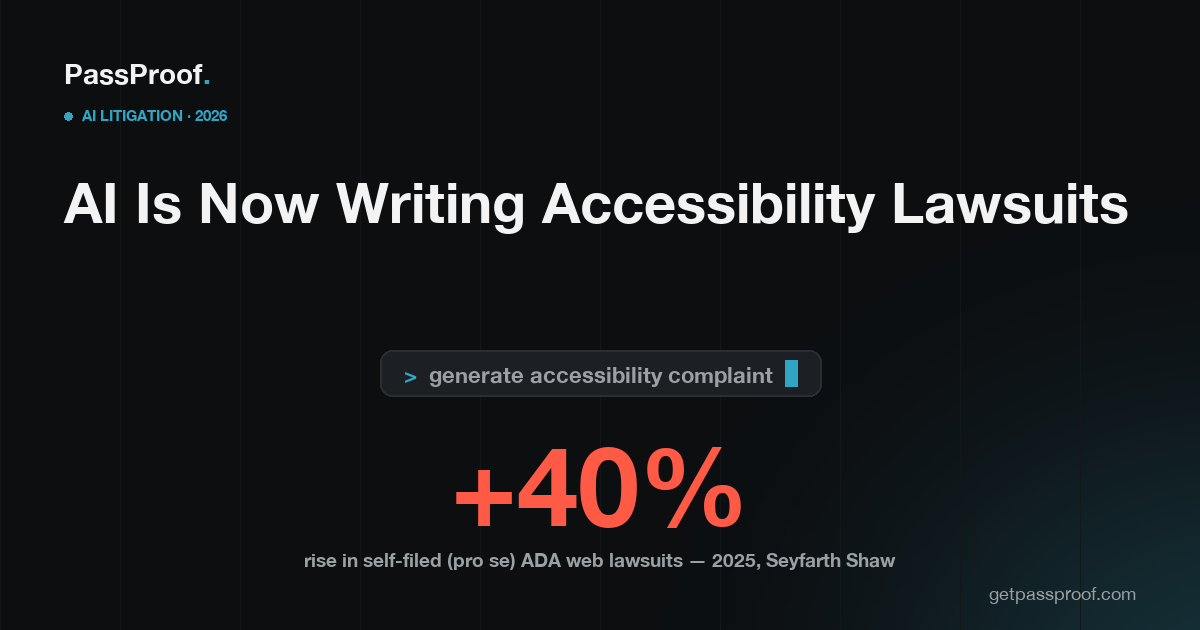
Yes — in 2026 a growing share of web-accessibility demand letters and complaints are being drafted with the help of AI, and the litigation data shows it. Self-represented ("pro se") ADA (Americans with Disabilities Act) web-accessibility lawsuits in U.S. federal court rose about 40% year over year in 2025, according to the law firm Seyfarth Shaw, and analysts attribute the jump to AI tools that let a person draft a complaint in minutes without hiring a lawyer. For an Ontario business the takeaway is blunt: the old bet — "we're too small for anyone to bother suing" — is exactly the bet AI just broke.
Key facts
- Self-filed (pro se) federal ADA web-accessibility lawsuits rose about 40% year over year in 2025 (Seyfarth Shaw).
- The U.S. saw more than 5,000 web-accessibility lawsuits in 2025, including 3,117 in federal court, up 27% year over year (Seyfarth Shaw, UsableNet).
- Filed lawsuits are only the visible tip — industry trackers estimate demand letters outnumber filed complaints by roughly 7–10×, most settled quietly out of court.
- Online stores are the top target: about 69% of U.S. web-accessibility lawsuits hit e-commerce sites in 2025 (UsableNet).
- An accessibility overlay widget is not a defence — 456 widget-equipped sites were sued in the first half of 2025, and the FTC (U.S. Federal Trade Commission) fined the largest overlay vendor $1,000,000 in 2025.
What does "AI is writing the lawsuits" actually mean?
It means the cost of starting a case has collapsed toward zero. Specialized plaintiff firms have used automated scanners for years to flag missing alt text, unlabelled buttons, and broken navigation, then mass-produce near-identical demand letters. What changed in 2025–2026 is that an individual with a disability no longer needs a $5,000 retainer — general-purpose AI tools can identify the failures and draft a filing in minutes. Seyfarth Shaw's roughly 40% year-over-year rise in self-filed federal ADA web cases is the measurable footprint of that shift. The practical effect is volume: when each case costs the filer almost nothing, more sites get hit, and smaller sites stop being beneath notice.
Why does this raise the risk for a small Ontario business?
Because the screening that used to protect you was economic, not legal. A plaintiff firm building a docket targeted larger, deeper-pocketed defendants because each case had real cost. AI removes that filter — a single self-represented person who hits a checkout they can't use can now generate a complaint the same afternoon. The failures these tools surface are the easy, automatable ones: images without alt text, form fields without labels, links that read "click here," contrast that fails. Those are exactly the defects an automated scan finds in seconds — on your site as easily as anyone's. Online stores carry the most exposure of all, and here's why.
Does this apply in Canada, or only in the U.S.?
Both, on two separate tracks. The lawsuits counted above are U.S. ADA cases, and any Ontario business that sells into the United States carries that ADA exposure directly. At home, the AODA (Accessibility for Ontarians with Disabilities Act) gives no customer a private right to sue you — the real Ontario route is a disability-discrimination complaint to the HRTO (Human Rights Tribunal of Ontario) under the Ontario Human Rights Code, which has no minimum-employee threshold. Here's how an HRTO complaint actually plays out, and what defending one costs. So an Ontario store selling cross-border can face pressure from both directions at once.
Can't I just point AI at my own site to fix it?
Not the part that gets you sued. Automated tools — including AI scanners and the overlay widgets that bolt onto your site — consistently catch only about 30–40% of WCAG (Web Content Accessibility Guidelines) failures; the broken keyboard flows and screen-reader traps that actually deny service live in the other 60–70%. Overlays are themselves AI, and that is precisely the product the FTC fined $1,000,000 in 2025 for overstating what it could do. Here's why overlays draw lawsuits instead of stopping them. The same AI that lowers the cost of filing a case does not lower the bar for fixing one — that still takes a real audit and source-code remediation.
What actually lowers the risk?
The same defensible work that has always held up, now more valuable because the threat is cheaper to start:
- A real audit — automated plus manual testing with a keyboard and the screen readers disabled people actually use, against WCAG 2.2 AA.
- Source-code remediation — fixing the real HTML and components so the site works whether or not any script is running.
- Documentation — an audit and a remediation plan you can put in front of a regulator, the HRTO, or a plaintiff, turning "we ignored it" into a good-faith record. Here's how to file your AODA compliance report.
What this means for your business
AI has not changed the accessibility standard — it has changed the odds of being asked to prove you meet it. The shield that used to be "we're too small to notice" is gone, your AODA Accessibility Compliance Report is due December 31, 2026 if you have 20 or more employees, and a widget gives you none of the protection it advertises. The honest motivator isn't a scary headline number — it's that a complaint now costs the other side almost nothing to start, while real remediation is what holds up if one lands. The full Ontario picture is in our AODA hub guide.
PassProof is a remote-first accessibility-engineering studio serving Ontario — get a free PassProof Report at getpassproof.com/risk-snapshot.
See where your site stands — free
The PassProof Report scans your site against Ontario's AODA/WCAG rules in about 30 seconds and returns your top failures in plain English, whether you've got an overlay installed, what legally applies to a business your size, and a fixed-price path to fix it — the same automatable defects an AI-drafted complaint would name.
👉 Get your free PassProof Report
PassProof is a remote-first accessibility-engineering studio serving Ontario. Accessibility-engineering guidance, not legal advice.